
About VI-SPDAT
Our CoC uses Clarity to assess and prioritize the best housing match for clients working through our Coordinated Entry process. The VI-SPDAT (Vulnerability Index - Service Prioritization Decision Assistance Tool) is the tool used to evaluate an individual's or household's needs and match the client(s) with appropriate housing. It is also the name of the program and the name of the access role Clarity users are assigned in order to complete the assessment.
Access to VI-SPDAT is limited to those Clarity users trained in both Clarity and VI-SPDAT. Only users who work with clients in Street Outreach, Emergency Shelter, or Transitional Housing programs actually complete the assessment.
Follow the steps below to enter clients into the Cincinnati/Hamilton County Coordinated Entry Process.
Enroll the Client Household in the VI-SPDAT Program and Complete the Current Living Situation
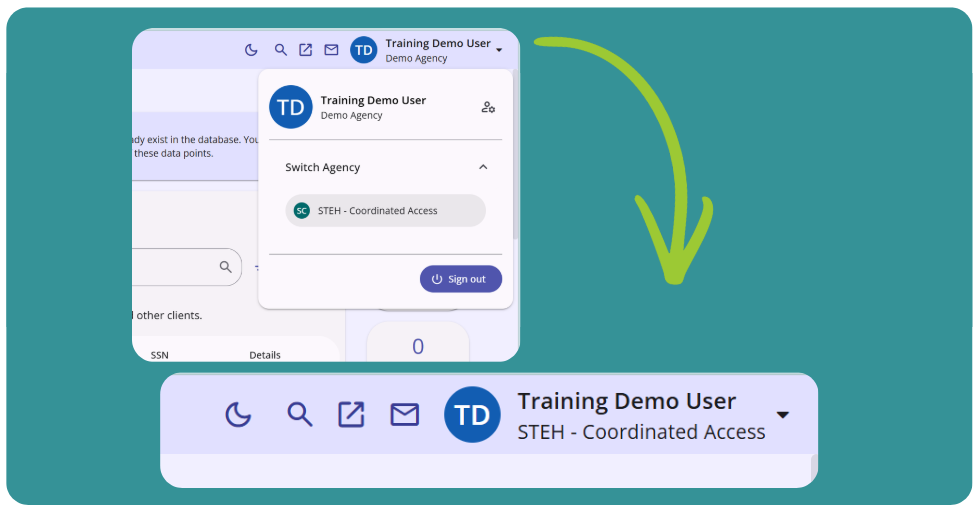
1. Log into STEH Coordinated Access agency.
Be sure you are switching into the "STEH Coordinated Access" agency in Clarity. You can use the drop-down options list under your name to switch from your primary agency to STEH - Coordinated Access.
2. Search for the client
Search for the client using Clarity's Search tab. Each client household should already be in the system if a program enrollment has been completed. Please note, the client name will not show up in search results if the client has not consented to share basic client data within HMIS.
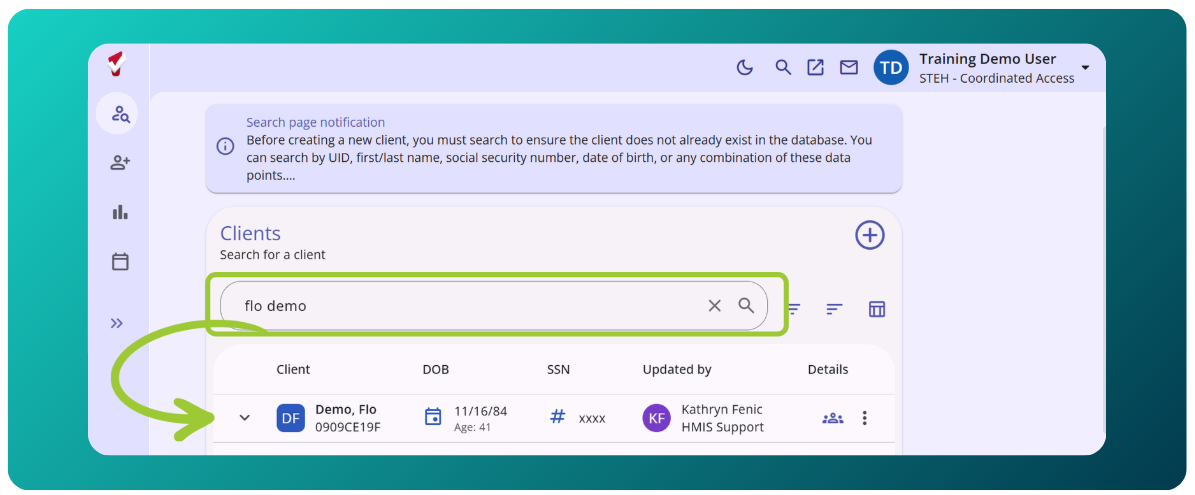
Also, if your agency enters data into a different system like VESTA, it may take several hours for the client record to be imported into Clarity.
3. Enroll the Client into the VI-SPDAT project.
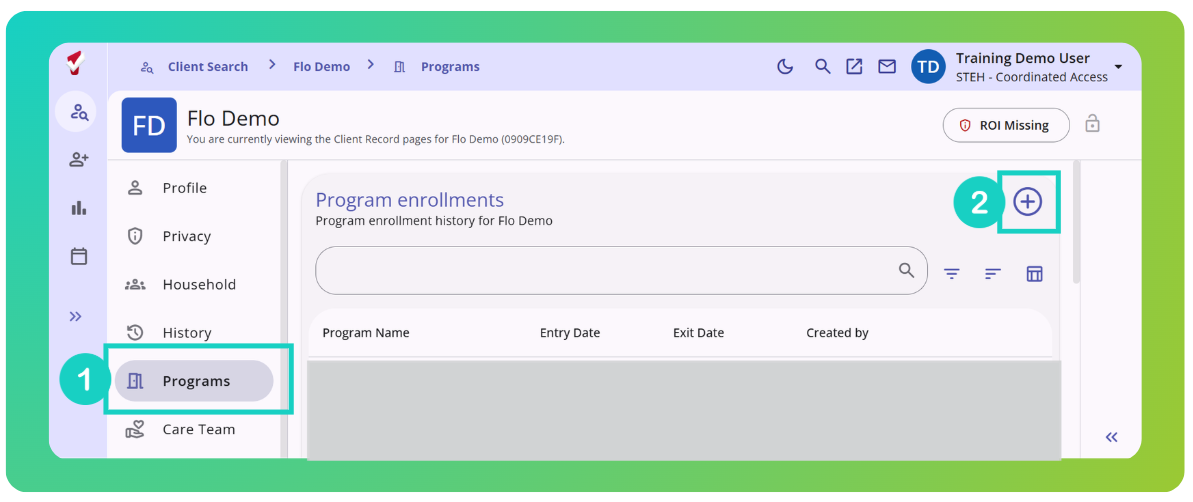
Click on the Programs tab from the client-level navigation in the client's record under their name. Select the Plus Icon (+) to add a new program enrollment.
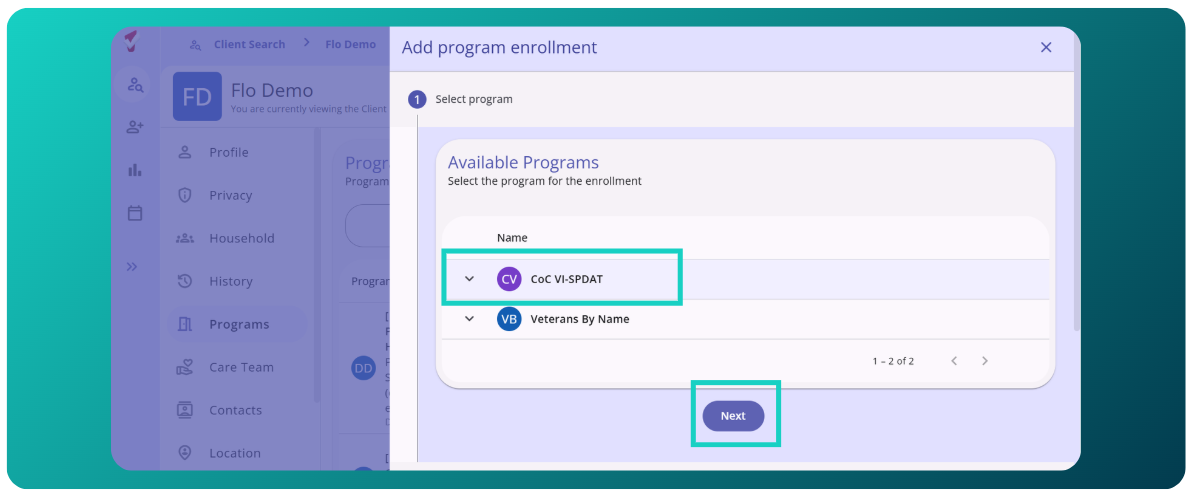
Highlight the name of the program by clicking on it. Select "Next."
Complete the enrollment screen. Be sure to toggle 'on' all household members who will be housed through the Coordinated Entry process.
Complete the Current Living Situation. It is now part of the enrollment process.
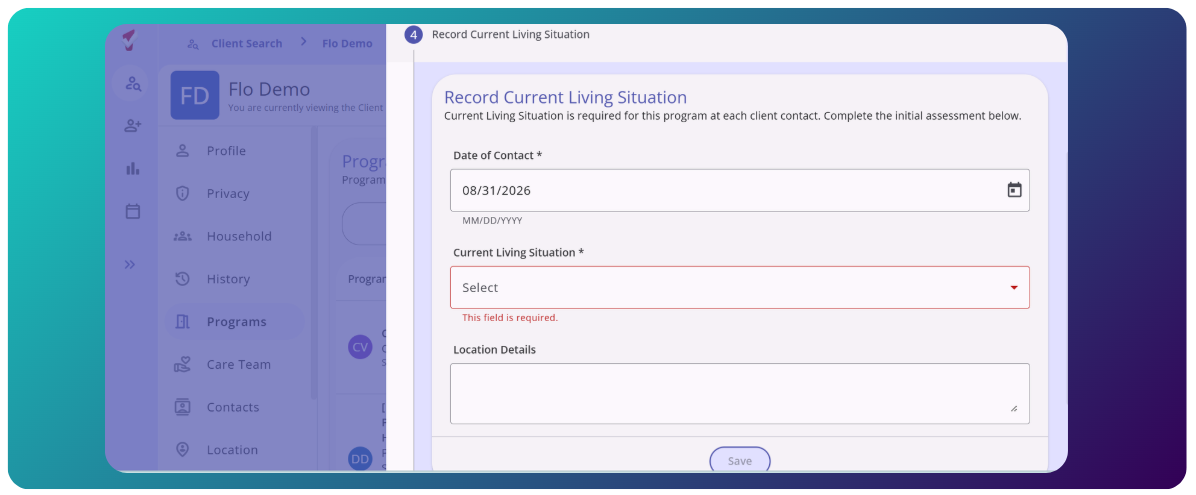
If the VI-SPDAT project is not available when adding a new program:
A "CoC VI-SPDAT" enrollment will show up in the client's "Program" tab if the client has an existing or previous VI-SPDAT enrollment. If that enrollment has an end date of "Active," click into the enrollment by scrolling over the enrollment and clicking on the edit icon. Then skip to Completing the VI-SPDAT Assessment section of this article.
4. Confirm/complete the program enrollment and click Save & Close for all household members.
The VI-SPDAT enrollment is set-up so the enrollment data that has been entered for your project enrollment will cascade into the VI-SPDAT enrollment to reduce the need for duplicate data entry. You may need to enter some data if the data required on the VI-SPDAT enrollment is different from the data entered in the project enrollment or if you enter data into VESTA - as all enrollment data fields are not transferred into Clarity.
When enrolling households of more than one person, you will select the "Save & Next" button. After completing one enrollment, the system will load the next household member's enrollment until the entire household has been enrolled.
Once you have completed the enrollment(s), the system will return you to the Programs History tab for the client you enrolled first (most likely the HoH).
Complete the VI-SPDAT Client Consent Form
After you have completed the enrollment, you will need to complete a Coordinated Entry specific VI-SPDAT Client Consent to release of information (RoI). The VI-SPDAT process requires a unique client consent form because the Coordinated Access agency is a program shared by all trained users from shelter, outreach, and transitional housing programs vs. having defined staff employed by the project.
To enter the VI-SPDAT RoI:
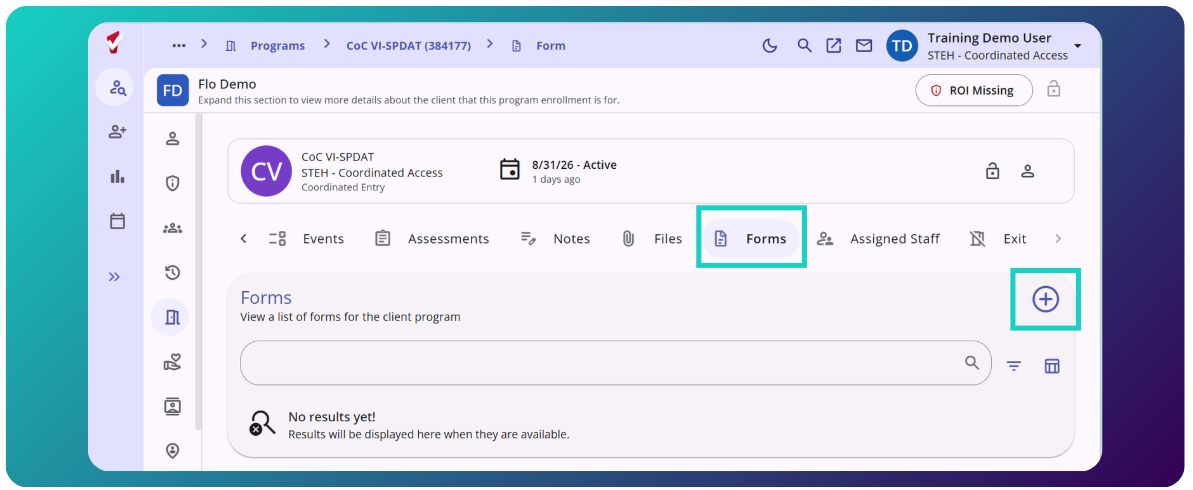
From the HoH enrollment, select the Forms tab. Then click on the Plus Icon (+) Add Form button.
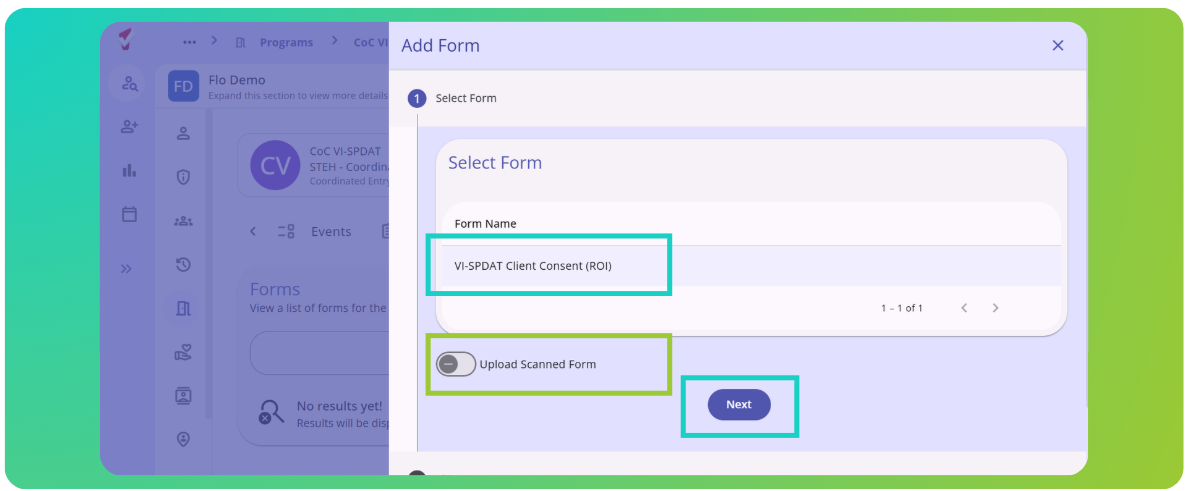
1. From the pop-up box select the VI-SPDAT Client Consent (ROI) and then click Add. Here you have the option to upload a scanned version.
2. Review and sign the form.
Review the consent with the client. Ask the client to sign the form using a touch screen or computer mouse.
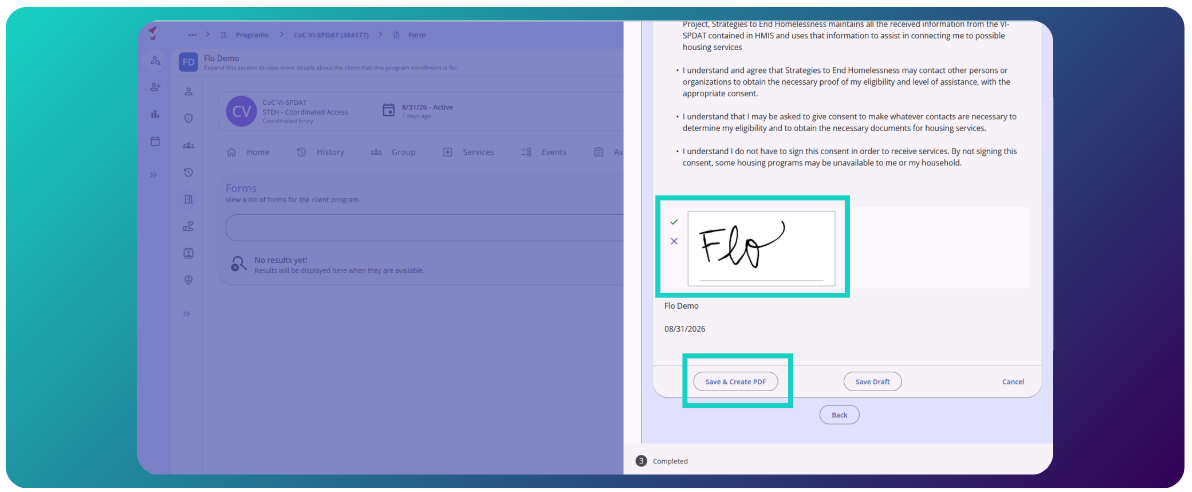
3. Click Apply and then click Save.
IF THE CLIENT REFUSES TO SIGN THE VI-SPDAT ROI, delete the program enrollment and reach out to the STEH Coordinated Entry team for guidance.
Complete the VI-SPDAT Assessment
Please note the VI-SPDAT assessment is completed only for the head of household (HoH).
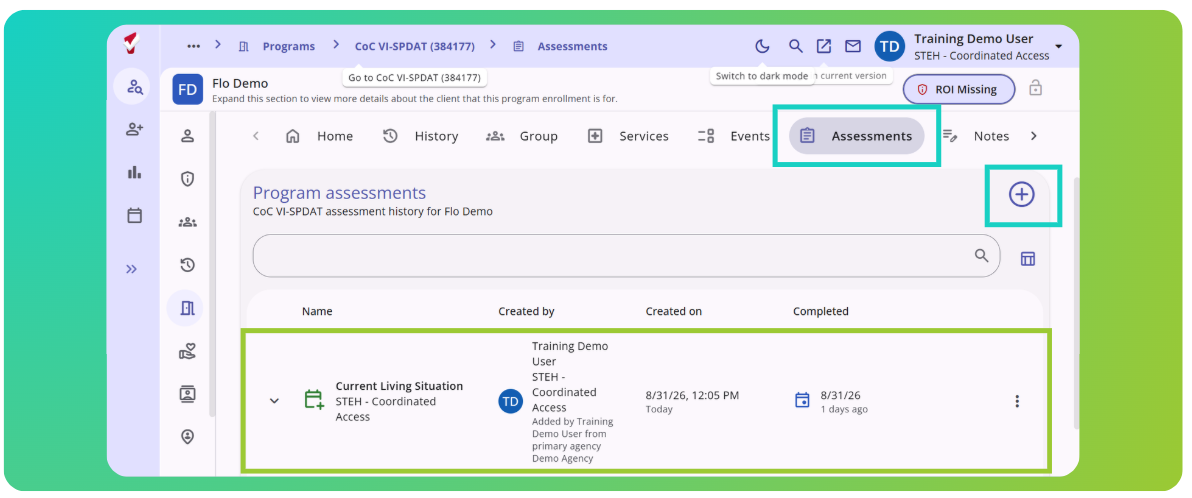
1. Choose the appropriate VI-SPDAT assessment from the program's Assessment tab.
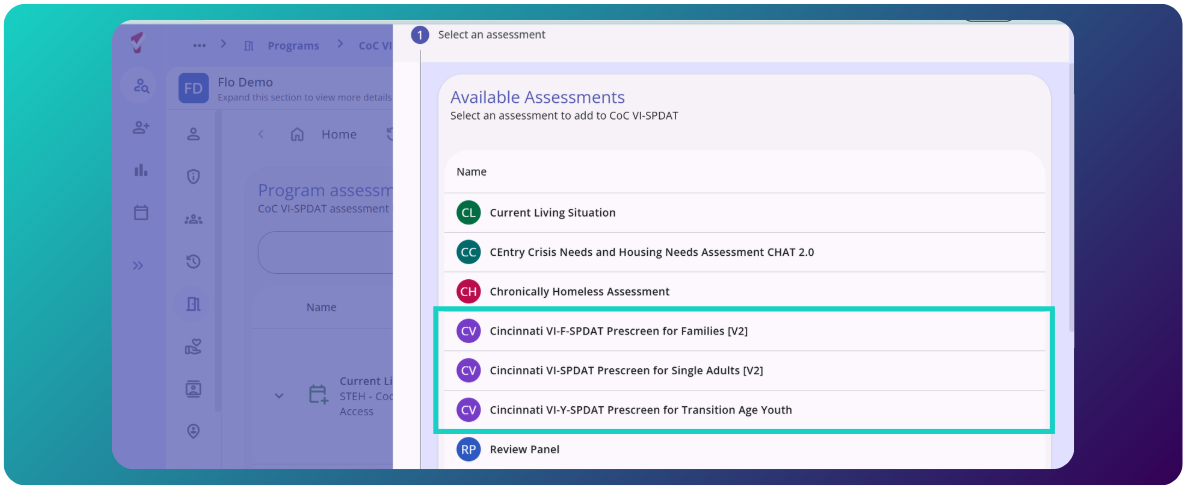
2. Complete all questions then hit the save button.
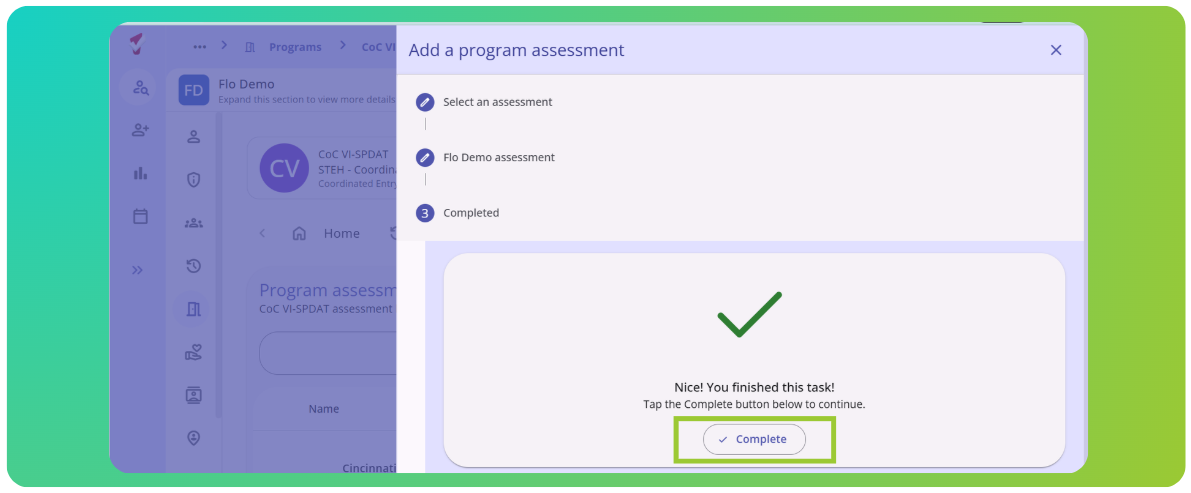
3. Go back to the program Assessments to refer the client to the Community Queue
Once you complete the assessment, navigate to Program Assessments. Click on the score.
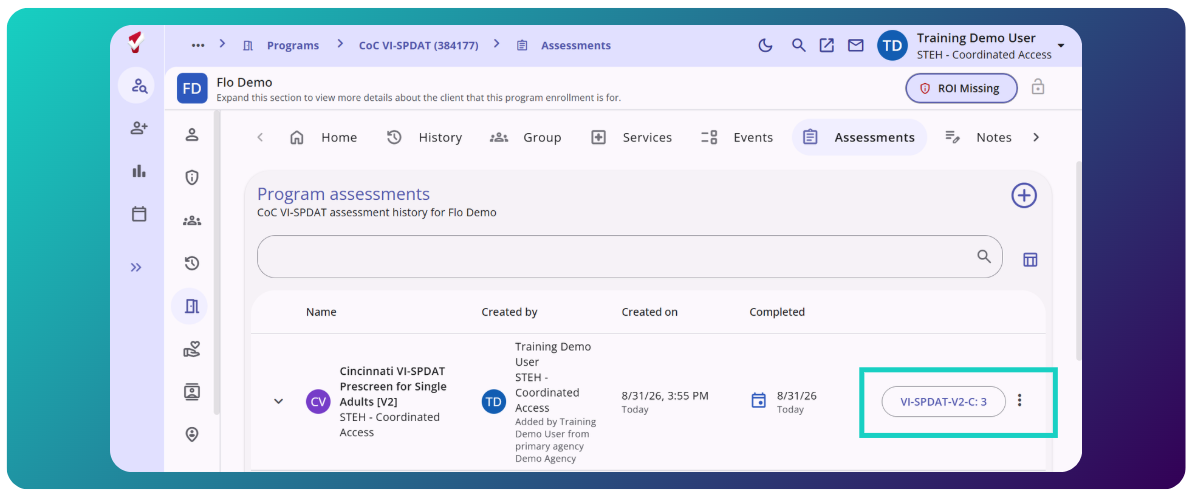
Clarity will direct you to the refer screen. Select the Plus Icon (+) next to "Community Queue Referrals"
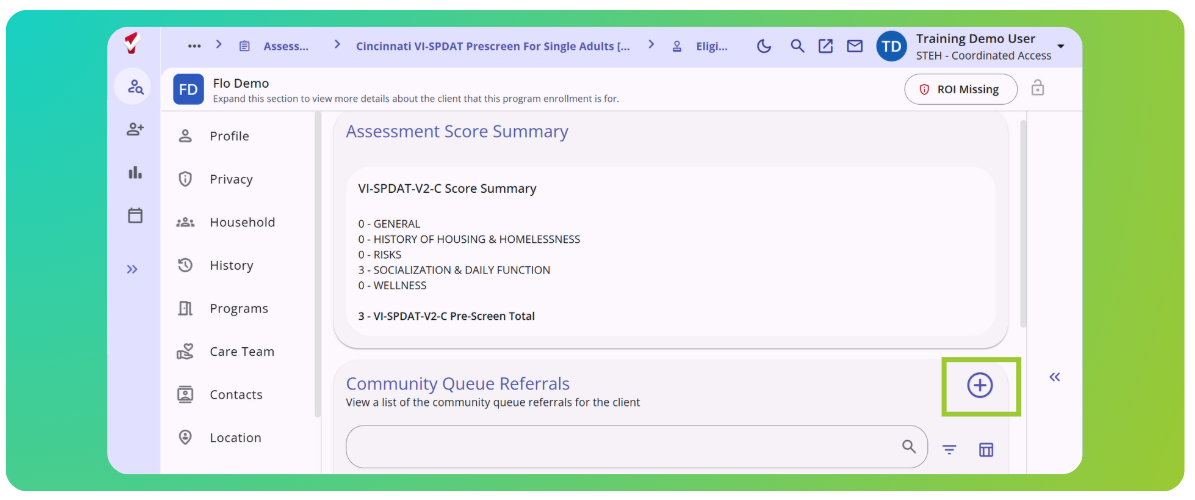
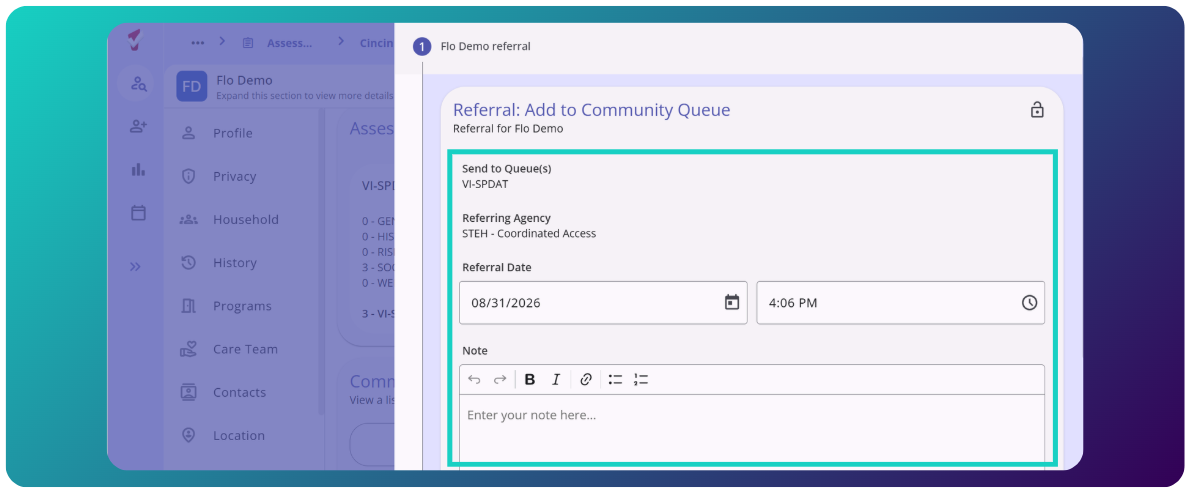
Complete the information and "Save."
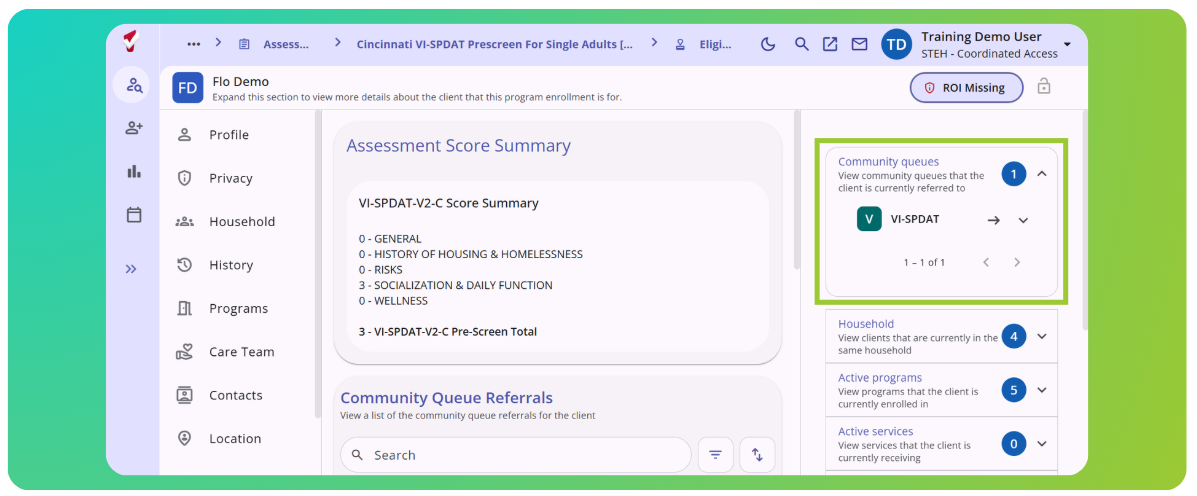
Once a client is referred to the CQ, a prioritization report is generated which is used by the Coordinated Entry staff to refer the client to a housing project. When a match is made, CE sends a referral to the client's agency. The client has the right to refuse the housing offer, in which case the client is sent back to CQ and another client is referred.
That's it!
Please do not make a referral to the Coordinated Entry project.
Chronically Homeless Assessment
The Chronically Homeless Assessment is also available in the ASSESSMENTS tab in the CoC VI-SPDAT program. If a client has periods of homelessness other than what is documented in Clarity HMIS (not in the Verification of Homelessness Report), additional documentation is required to determine Chronic Homelessness. The Chronically Homeless Assessment is used to track that additional documentation. Please see this article for more detailed information: Chronically Homeless Assessment : (freshdesk.com)
Contact Information
If you need help, or wish to offer suggestions or feedback, please contact the Cincinnati/Hamilton County HMIS Support team at HMISsupport@end-homelessness.org or by calling 513-263-2790 9:00 a.m. - 3:00 p.m. Monday through Friday (excluding holidays).
When contacting HMIS support about a particular client, please do not send personal identifiable information such as social security numbers, medical information, or other data that can be used to identify a client. Instead, use the Clarity Unique ID.