
| This article showcases CAP referrals within the new Clarity HMIS User Interface. For information regarding these referrals in the original UI, check out this article: Managing Referrals from CAP/CE Please note that this user interface is still in beta and is continuously being updated and revised. Please contact HMISsupport@end-homelessness.org if you have any questions or believe something in this article to be outdated. |
It is important to utilize the Clarity referral system for CAP referrals to:
- Assist CAP/CE to track a history of referrals/placements for each client as the data is all located in one system.
- Allow STEH to better track referral/placement aggregate data to evaluate the system and program performance.
- Required to complete the new HUD mandated Coordinated Entry APR.
Accessing a Referral
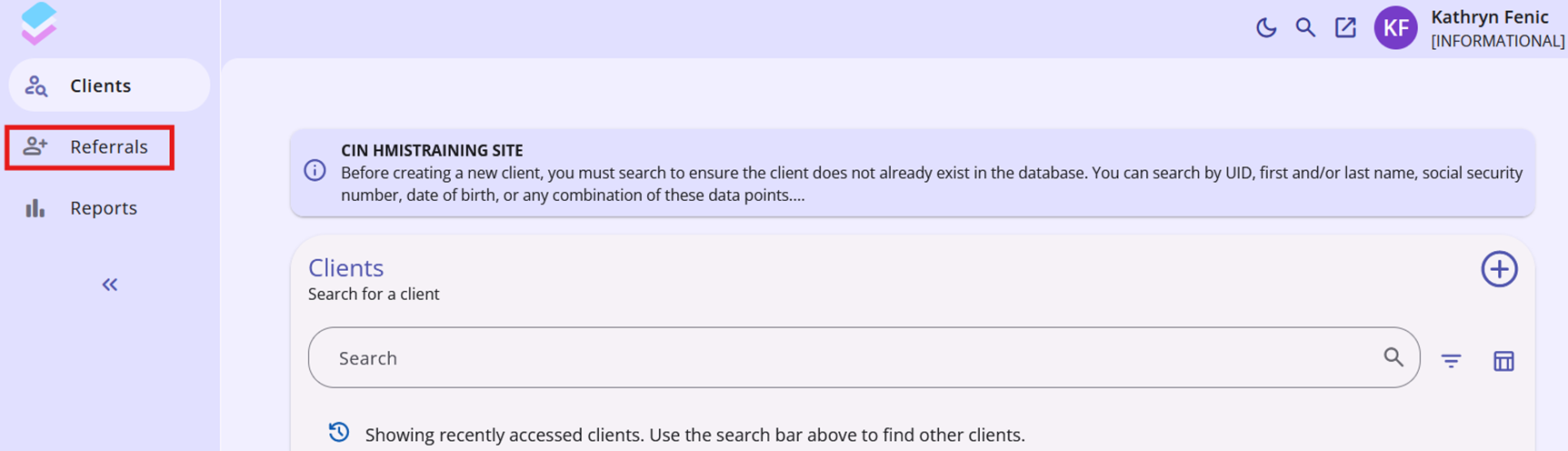
Clarity will send a notification email about a new referral to any staff member listed as a case manager for said client. To see these referrals, use the notification email to be taken directly to the referral, or navigate to the Referrals tab, using the site-level navigation tabs on the right. The Referrals tab is denoted with an icon of a person with a plus sign.
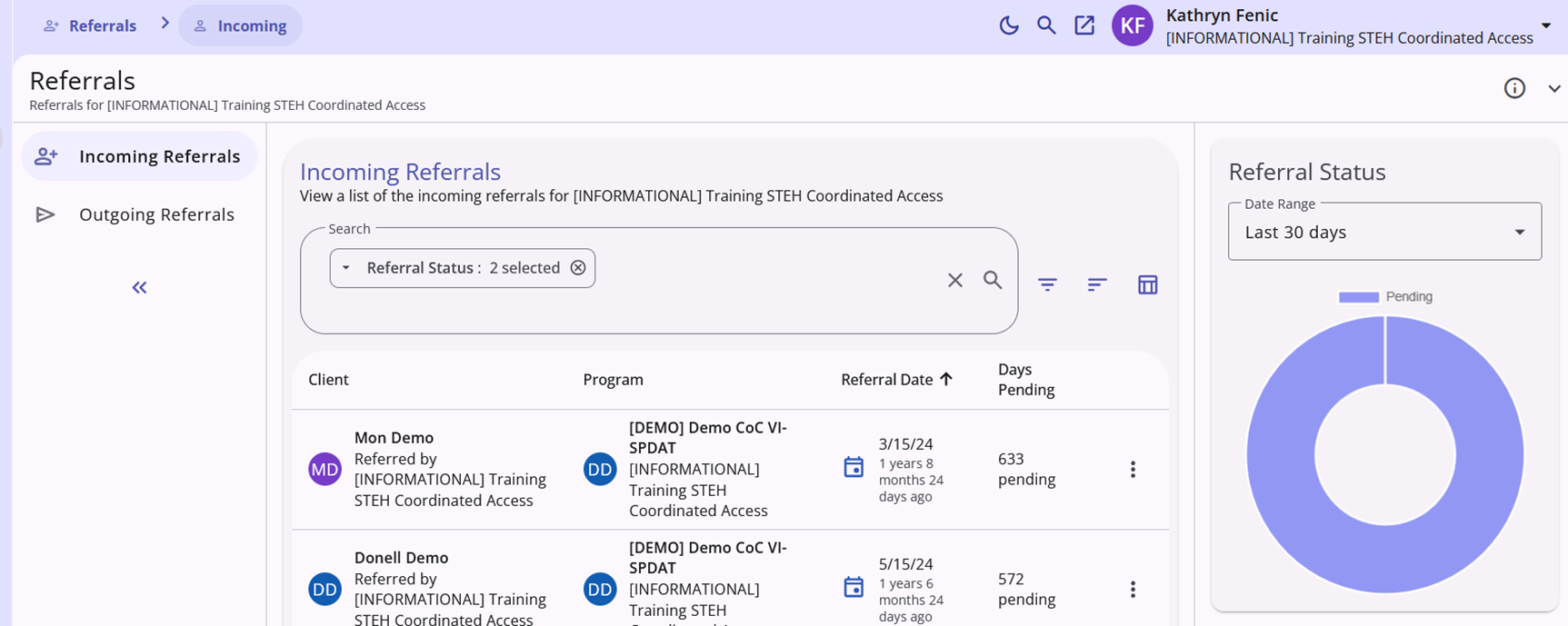
The Referrals tab opens to the "Incoming Referrals" screen. This is where users with referral access are able to see and manage the incoming referrals to the agency they are signed into. The list has a filtering tool and a search bar, and the list is defaulted to prioritize referrals with the status "pending."
Managing a Referral
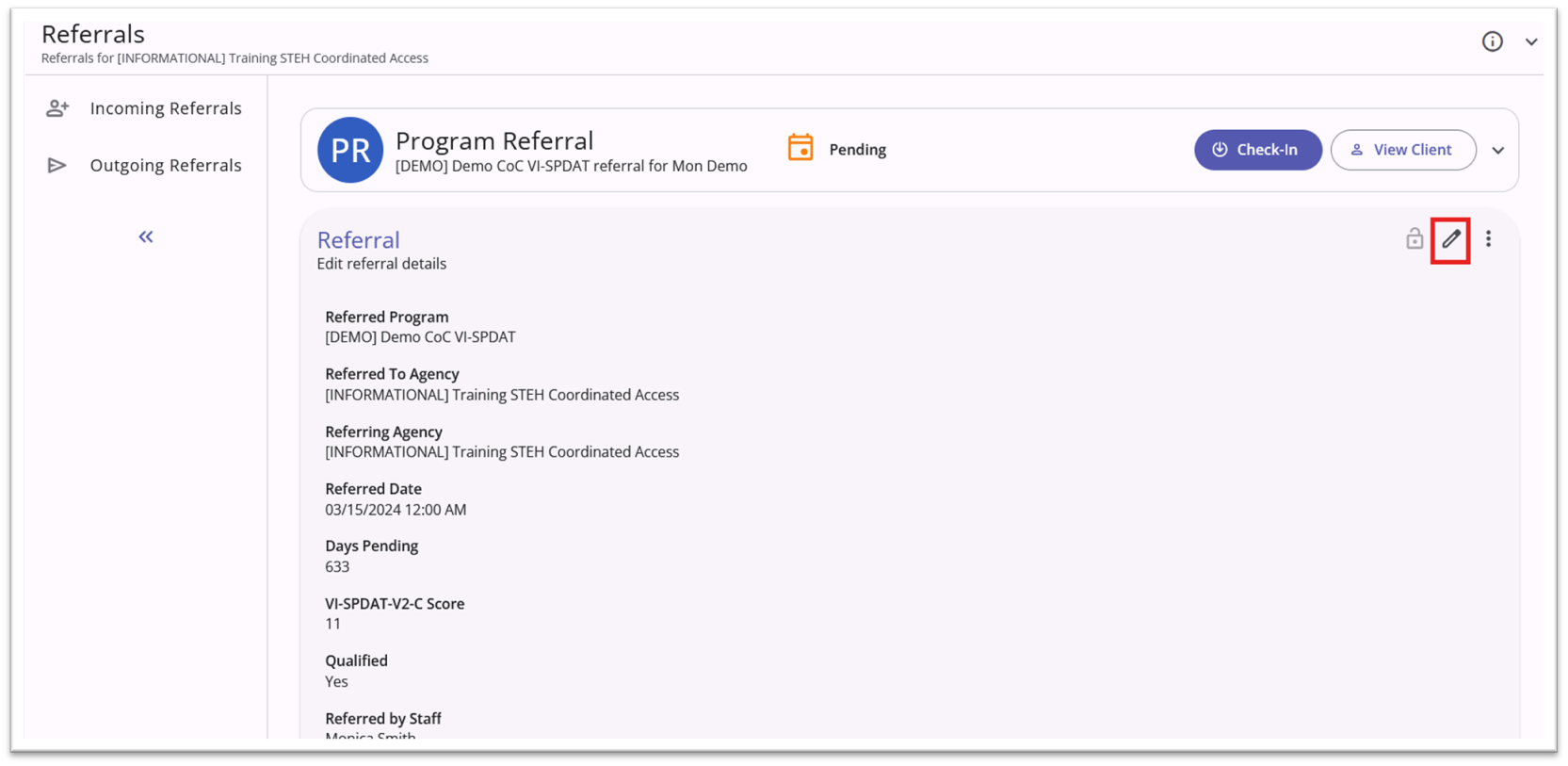
Click on a client's name in the list to be taken into their referral to scroll through and review and edit details. This is where you will assign staff and update the referral status. To make changes, you will first click the edit icon denoted by a pencil in the upper right of the card. Any changes to referral information must be confirmed with the save button at the bottom of the card.
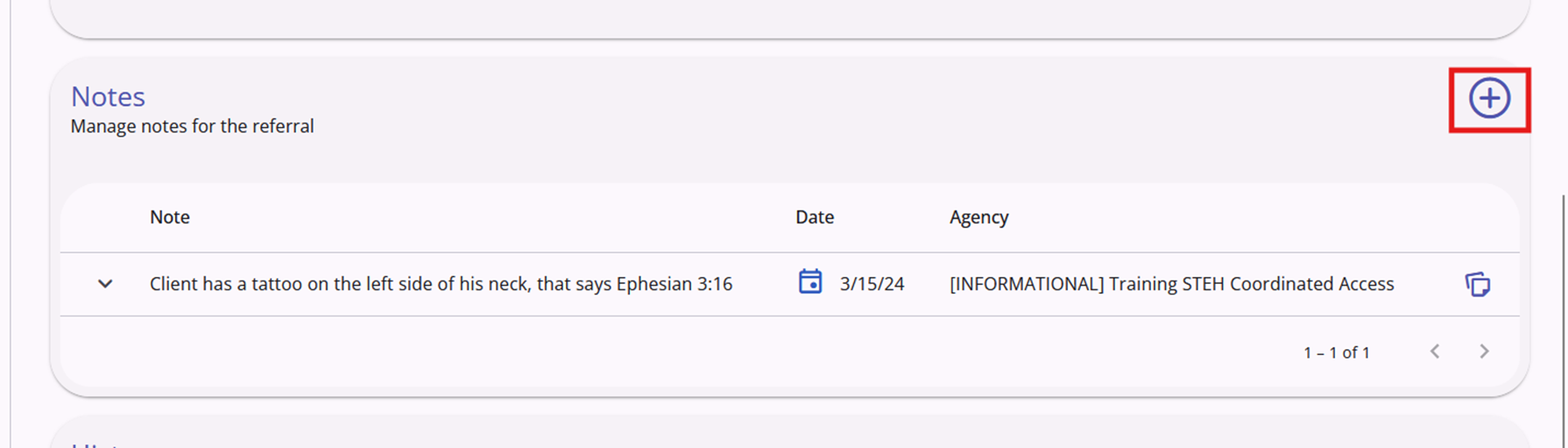
Below the info card is the Notes card. This section allows users to view or add notes about the client that would be helpful for the referral. These notes can be made by any user with access to that referral.
Denying a Referral
In the case that a referral is denied, users should edit the referral and set the status as "Denied."
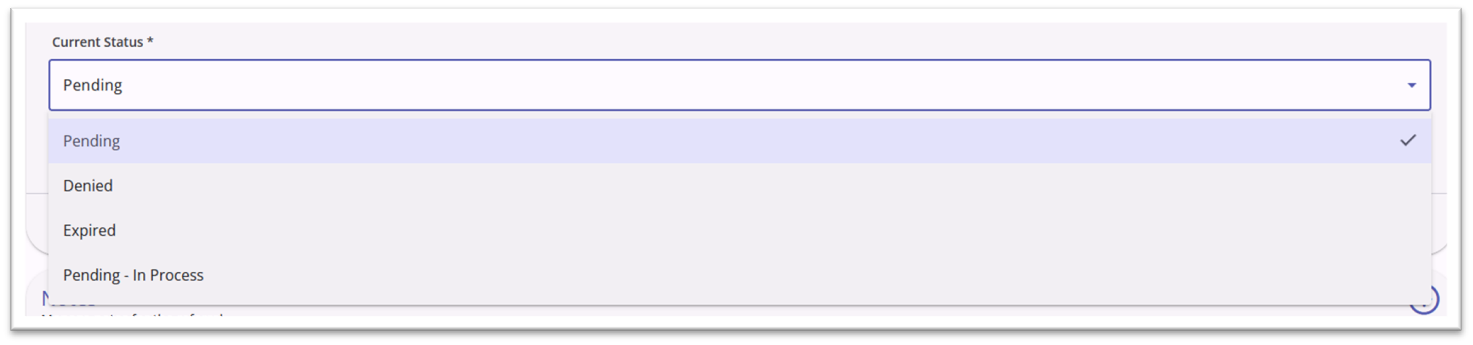
Denying a referral requires additional information be collected.
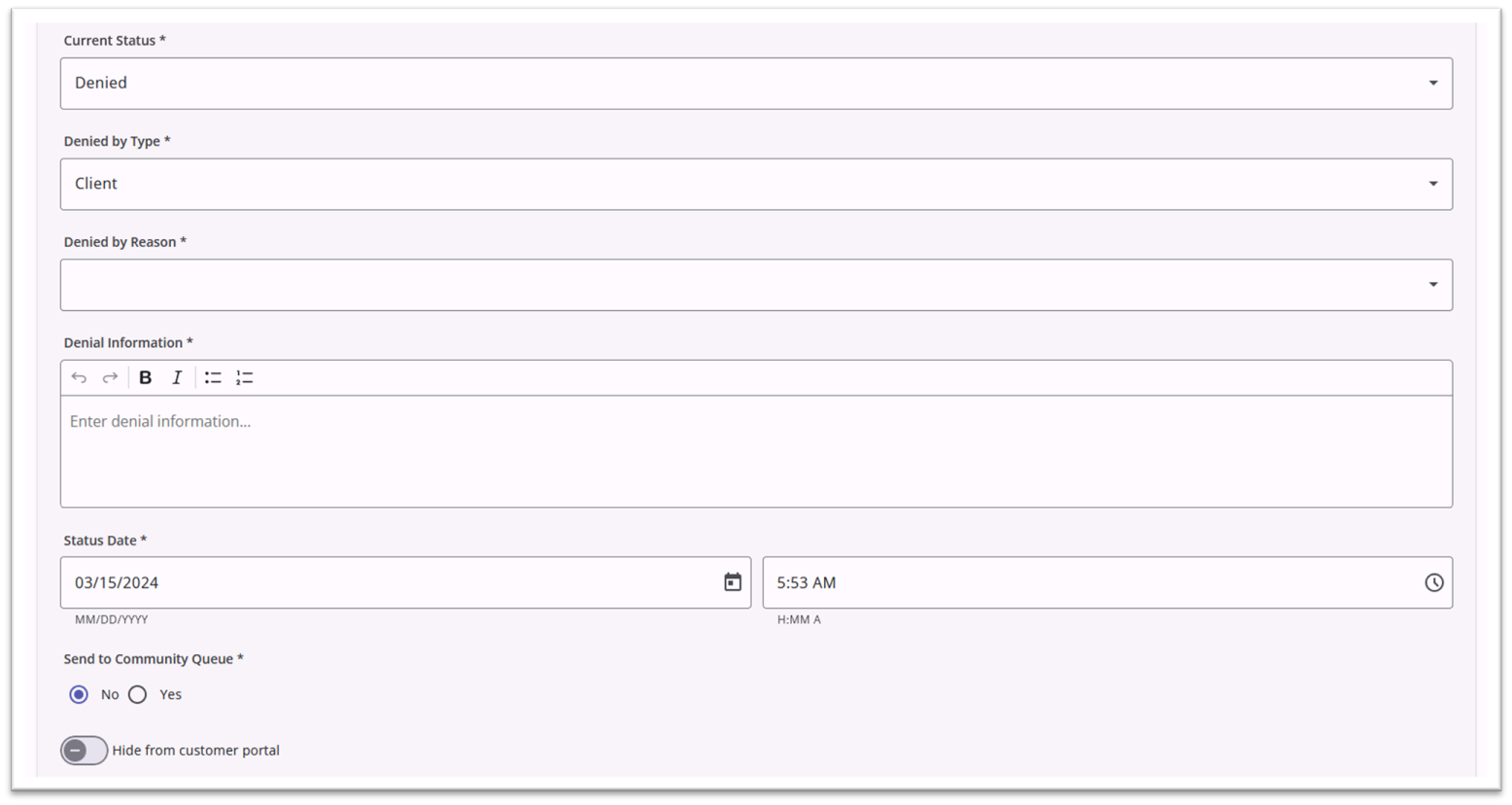
Denied by Type: Select either "provider" or "client" depending on which party is responsible for the denial.
Denied Reason: Select the applicable reason for the denial from a dropdown list:
- Lack of Eligibility
- Full Capacity/No Availability
- Client out of Jurisdiction
- Client previously received service
- Needs could not be met by program
- Disagreement against rules
- Client refused services
- Client did not show up or call
- Referral time expired
- Self Resolved - Client Housed
- Falsification of Documents
- Denied by Landlord/Property Manager
- Other
Denial Information: Add any additional information regarding the denial; this field is required.
Once the denial is completed, the referral will be labelled as "denied" in the incoming referral list.
In the case that a referral is denied by accident, contact HMISSupport@end-homelessness.org to get the status set back to "pending."
Completing a Referral
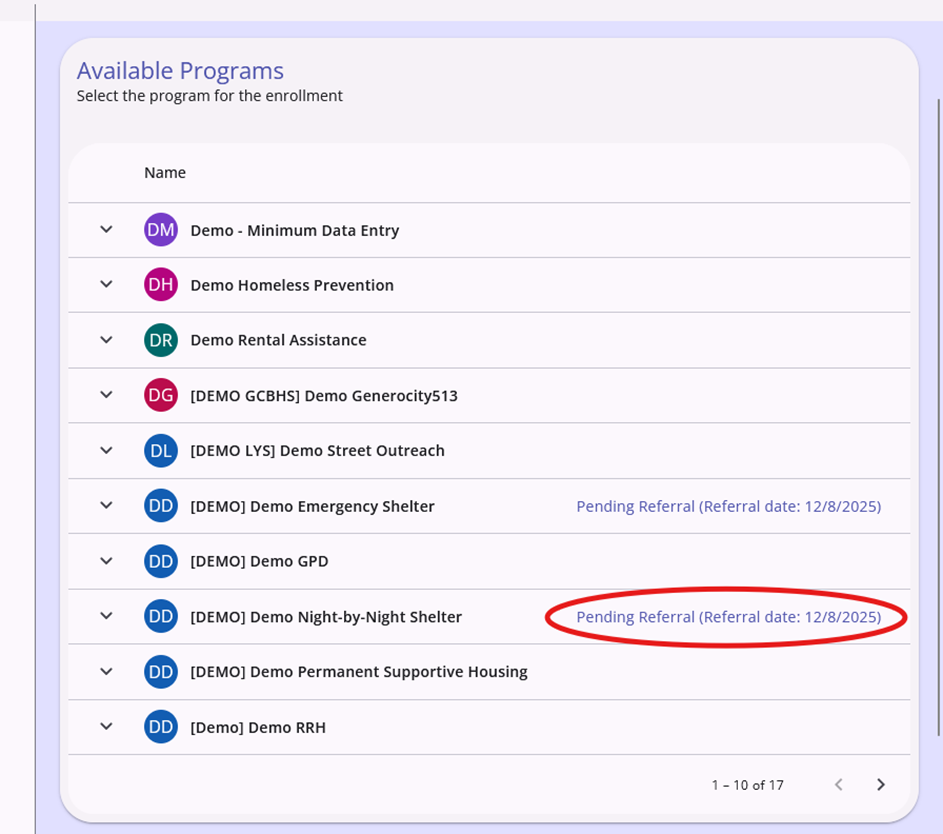
To complete a referral( for agencies that enter data directly into Clarity), the client must be enrolled into a program at the referred to agency. When initiating an enrollment, Clarity will notify the user if the client has a pending referral for a specific program.
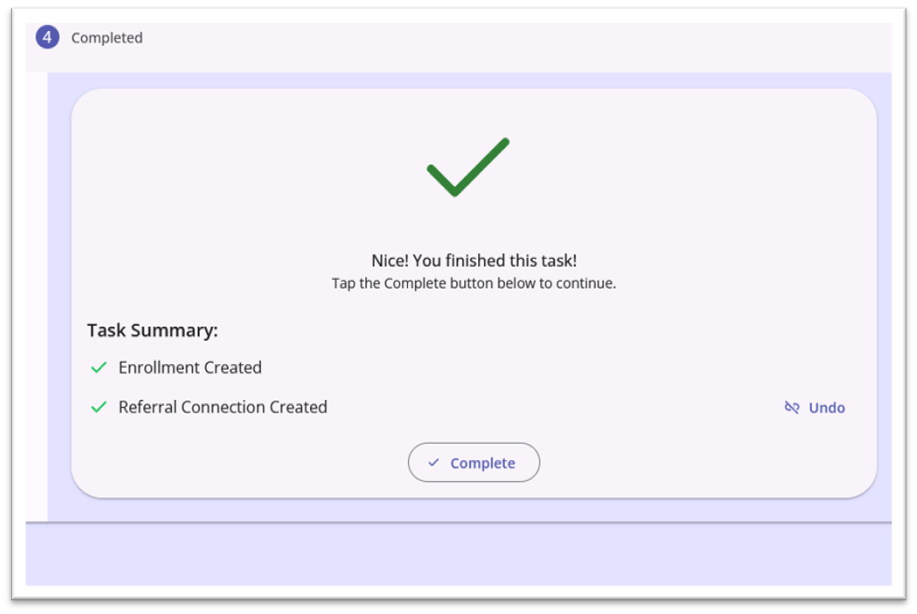
Complete the enrollment in the referred to program as normal. Once it is finished, Clarity will automatically connect it to the initial referral. This can be seen in the task summery in the last step of the enrollment overlay process.
The connected referral is now labelled "completed" in the incoming referrals list and will have a chain-link icon to represent the enrollment connection.

For more information on the referral process, click here to read the official Bitfocus help article.
Contact Us
If you need help, or wish to offer suggestions or feedback, please contact the Cincinnati/Hamilton County HMIS support team at HMISsupport@end-homelessness.org or by calling 513-263-2790 9:00a.m. - 3:00p.m. Monday-Friday (excluding holidays).
When contacting HMIS Support about a particular client, please do not send protected personal information (PPI) such as full name, social security number, or any other information used to determine a person's identity through email. Instead, please send the Clarity Unique Identifier found on the client's Clarity Profile page. You can use the messaging system in Clarity if you need to send personally-identifying information.