
| This article discusses the incoming referrals screen within the new Clarity User Interface. For information regarding the referral process in the current UI, please check out this list of articles: Coordinated Entry (CAP, Access, Exit) Please note that this new feature in Clarity is still in Beta and is continuously being updated and revised. Please contact HMISsupport@end-homelessness.org if you experience any issues or have questions. |
Referrals are an integral part of the HMIS system. Allowing case workers of any agency to point clients in the direction of the most appropriate help available to them. When a referral is made to a user's agency, the Clarity system will send an automated email alert to inform relevant case workers of the referral. Clicking on the highlighted text in this automated message will take users to the referred client's profile, and the referral itself respectively.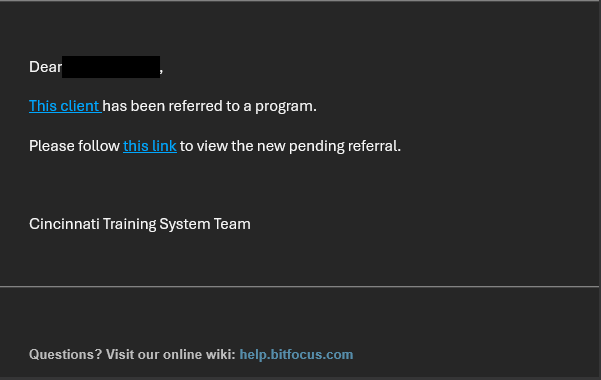
To view and manage all incoming referrals, select the Referrals tab from the site-level navigation bar on the left side of the screen. it is denoted by a silhouette of a person with a + icon.
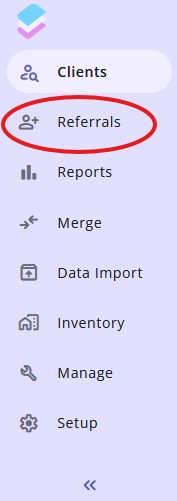 It is similar to the icon for the clients search page; however, the client search tab is differentiated by a magnifying glass as opposed to a + icon.
The "main page" of the Referrals tab is the Incoming Referrals page. This page allows you to view incoming referrals for the agency you are currently signed into. 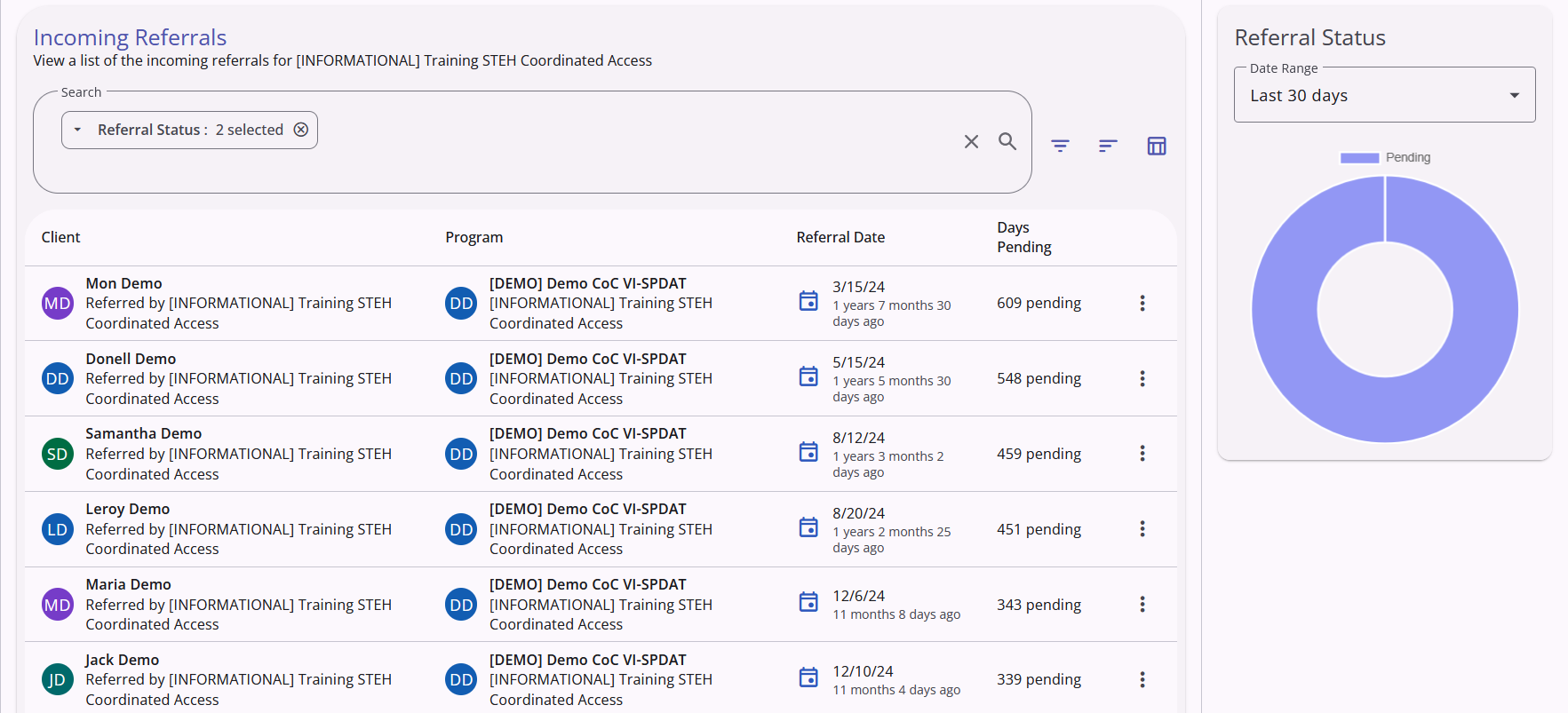
The search bar at the top of the page comes with a preloaded Referral Status filter set to "pending" to prioritize pending referrals, but this filter can be edited or removed if necessary, and the search bar itself functions the same as the client search bar.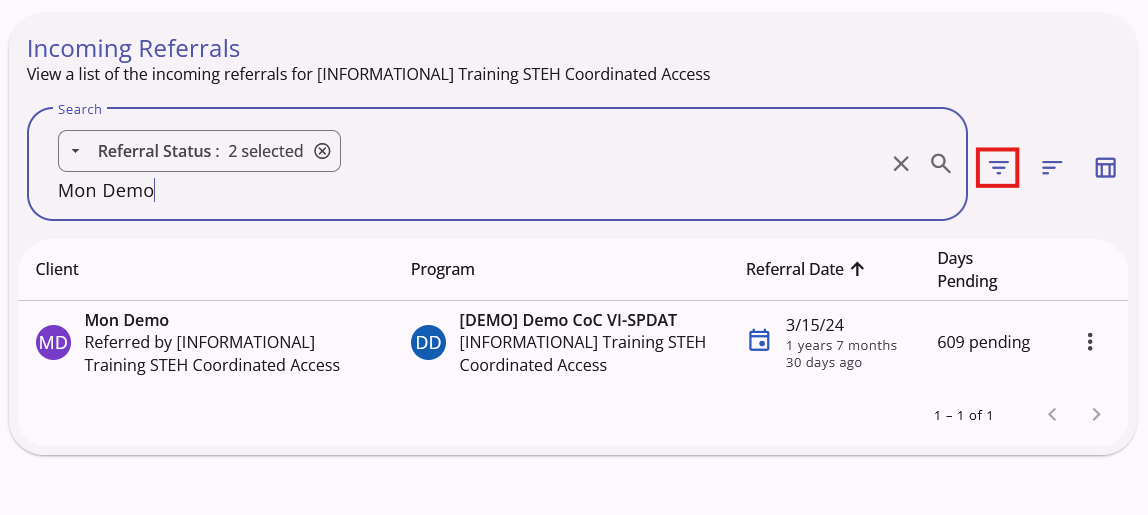
There are also more filters available to use in the pop-up that appears if you click on the funnel shaped filter icon next to the search bar, highlighted in red in the above screenshot and listen in the below screenshot.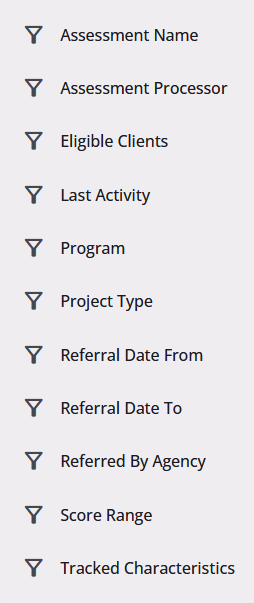
There is also a sorting tool available for this list, allowing users to set which parameters or data points the incoming referrals list is sorted by. The "Configure Sorting" icon is highlighted in the below screenshot.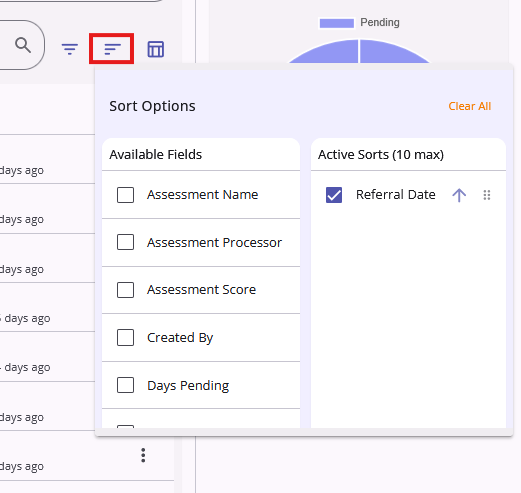
The default data fields visible in the referral list are:
- Client: Shows the client's name, as well as what agency they were referred by underneath
- Program: The program the client was referred to
- Referral Date: The date the referral was first made
- Days Pending: How many days the referral has been deemed pending
More data fields are able to be made visible to personalize the list to a specific user's workload by using the "Show/Hide Fields" Icon next to the Configure Sorting icon. To learn about this feature, please see this article in our knowledge base.
The "Referral Status" box on the right side of the screen shows a pie-chart summary of total referral statuses within the established date range. The default is 30 days, but there are other options in the dropdown.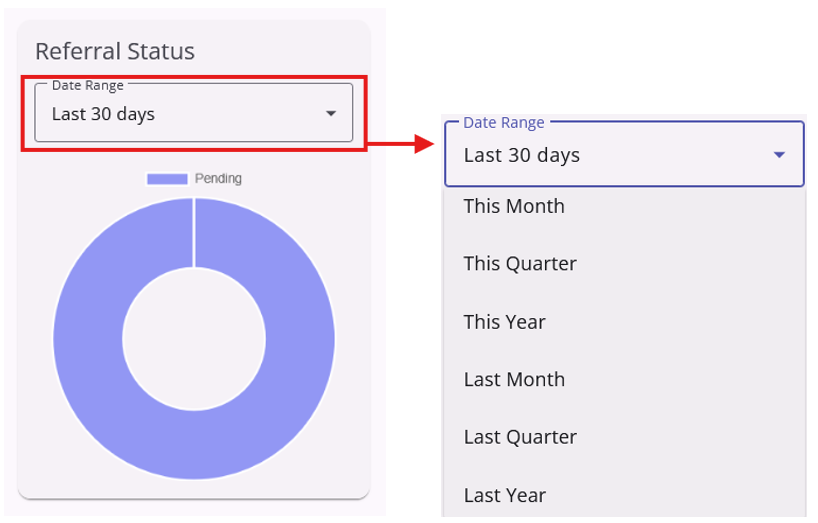
Fore more information on incoming referrals, click here to see the official Bitfocus article.
Contact Us
If you need help, or wish to offer suggestions or feedback, please contact the Cincinnati/Hamilton County HMIS support team at HMISsupport@end-homelessness.org or by calling 513-263-2790 9:00a.m. - 3:00p.m. Monday-Friday (excluding holidays).
When contacting HMIS Support about a particular client, please do not send protected personal information (PPI) such as full name, social security number, or any other information used to determine a person's identity through email. Instead, please send the Clarity Unique Identifier found on the client's Clarity Profile page. You can use the messaging system in Clarity if you need to send personally-identifying information.