
The recently searched clients list has been expanded and improved from the previous user interface. Now the list has been moved underneath the search bar and has been greatly lengthened, allowing for far easier navigation to previously searched clients.
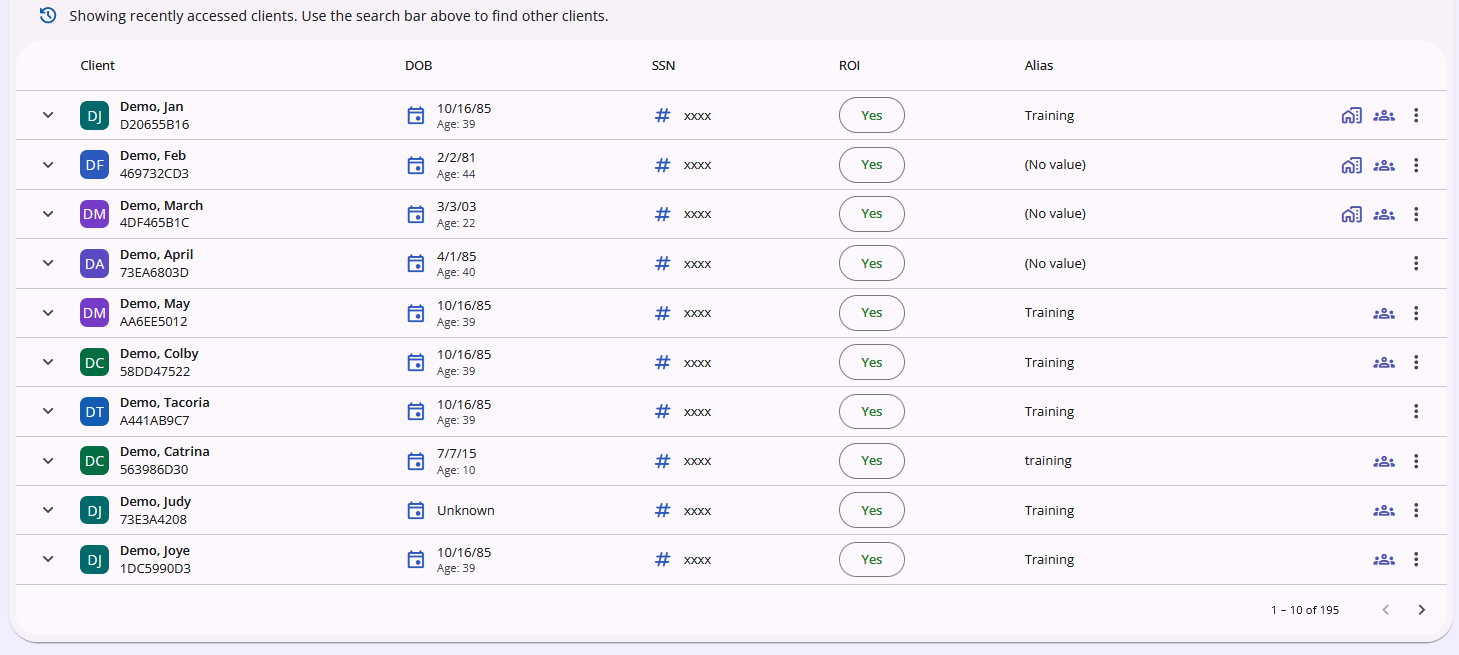
Additionally, customization options for what information is visible at a glance have been added. To access these options, click on this new icon next to the search bar:
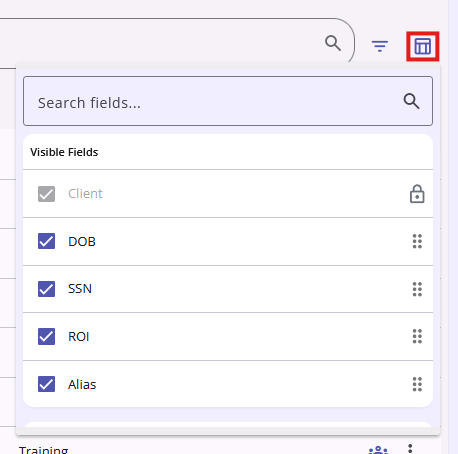
Inside this icon is a variety of demographic and other information from the client profile screen. These data elements can be viewed in this icon in three distinct areas:
Visible Fields: Data points that are visible at a glance within the client list.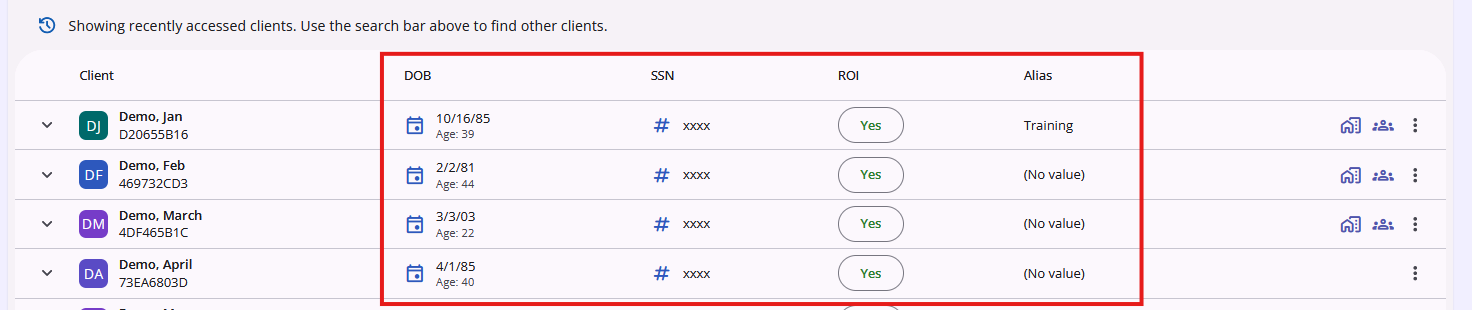
Collapsed Fields: Data points that are visible by clicking on the down arrow that expands a client's information within the client list.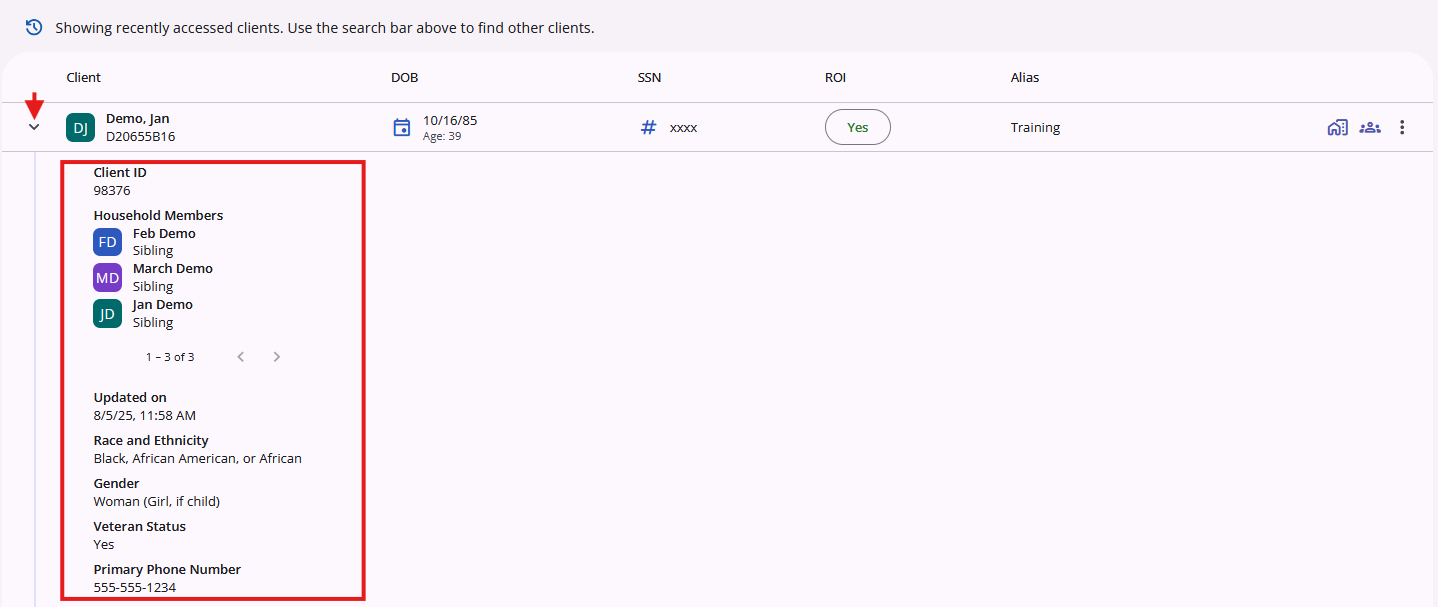
Available Fields: Data points that are not currently visible in either of the other two areas, but can be added.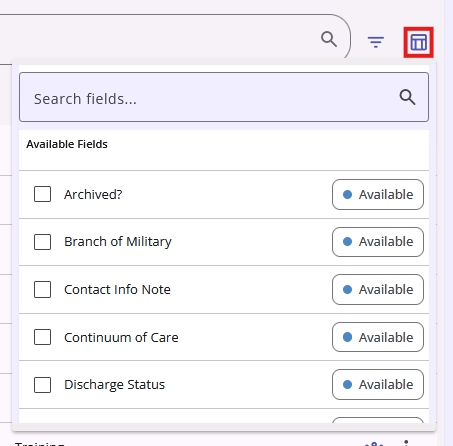
To customize which data points appear or do not appear in each area, you can click and drag individual fields into the desired areas. Alternatively, clicking the checkbox on a visible field will uncheck it and send it to the Available Fields area. Clicking the checkbox on an available field will check it and send it to the Collapsed Fields area.
Fields will be displayed in the order they are listed from top to bottom.
Contact Us
If you need help, or wish to offer suggestions or feedback, please contact the Cincinnati/Hamilton County HMIS support team at HMISsupport@end-homelessness.org or by calling 513-263-2790 9:00a.m. - 3:00p.m. Monday-Friday (excluding holidays).
When contacting HMIS Support about a particular client, please do not send protected personal information (PPI) such as full name, social security number, or any other information used to determine a person's identity through email. Instead, please send the Clarity Unique Identifier found on the client's Clarity Profile page. You can use the messaging system in Clarity if you need to send personally-identifying information.
LB 9.30.26