
| This article is a rundown of the new caseload tabs present within the new Clarity User Interface. For information regarding the Caseload Tab in the current interface, please click here to read the official Bitfocus support article. Please note that this user interface is still in beta and is continuously being updated and revised. Please contact HMISsupport@end-homelessness.org if you have any questions or believe something in this article to be outdated. |
The Caseload tab, once a separate screen in the old Clarity UI, has now been seamlessly integrated into the search screen of the new UI for easier access and a better workflow. Instead of switching tabs in the top-right corner of the screen, the information found in the old Caseload tab can be found organized into three smaller tabs on the right side of the search page. These three tabs are "Active Enrollments," "Status Due," and "Case Manager;" each with a number to signify the workload.
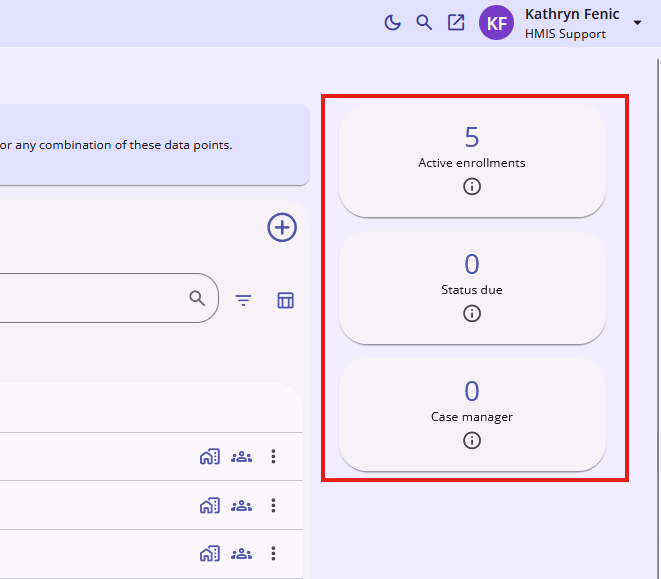
Note: These tabs show a user's caseload on an agency basis. If you are a user with access to multiple agencies and do not see a client you are looking for, make sure you are signed into the appropriate agency.
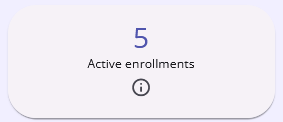
The "Active Enrollments" tab shows the number of active client enrollments a user has either created or had assigned to them.
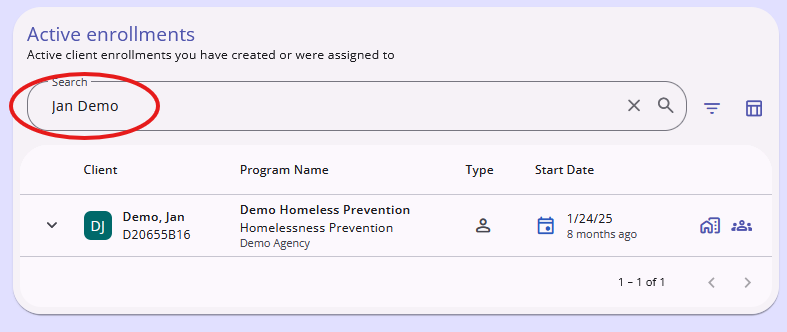
Clicking on the box will open an overlay that will allow you to view the enrollments. There is also a search bar at the top of the overlay to allow for greater filtering. Selecting a specific enrollment will take the user directly to that enrollment's "History" tab. This process is consistent across all three Caseload tabs.
The "Status Due" tab shows the number of programs in a user's caseload that have Annual Assessments due soon. A program will appear in this list ten days before the due date and will remain until the Annual Assessment is completed.
For more information about the Annual Assessment, click here to read our support article.
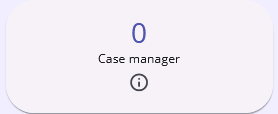
The "Case Manager" tab shows all program referrals that a user has been assigned as the Case Manager for. Clicking on a client's name from the list will open the referral to view.
Contact Us
If you need help, or wish to offer suggestions or feedback, please contact the Cincinnati/Hamilton County HMIS support team at HMISsupport@end-homelessness.org or by calling 513-263-2790 9:00a.m. - 3:00p.m. Monday-Friday (excluding holidays).
When contacting HMIS Support about a particular client, please do not send protected personal information (PPI) such as full name, social security number, or any other information used to determine a person's identity through email. Instead, please send the Clarity Unique Identifier found on the client's Clarity Profile page. You can use the messaging system in Clarity if you need to send personally-identifying information.