
Switching between Clarity User Interfaces
Access to New Clarity User Interface (UI) has been toggled On for all Cincinnati/Hamilton Country HMIS users in their user account settings. This means that when logging in, Clarity will default to the new user interface at login.
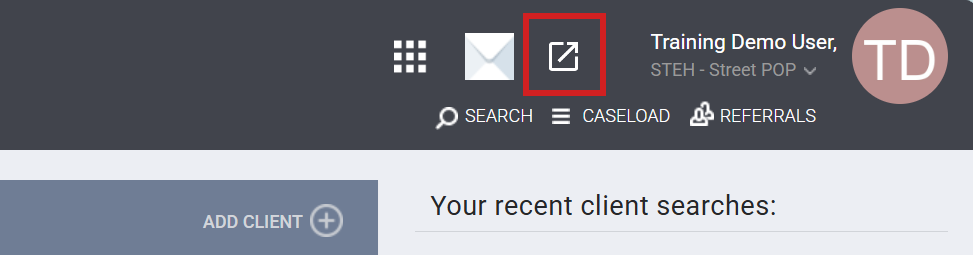
Users will still have the option to navigate back to the original interface by clicking on the pop-out icon at the top right of their screen:

Any feature or screen that a user may access that is not yet available in the new Clarity interface will default to the original interface. The user will remain in the current interface until they manually click the pop-out icon to navigate back to the new Clarity interface.
Contact Information
If you need help, or wish to offer suggestions or feedback, please contact the Cincinnati/Hamilton County HMIS Support Team at HMISsupport@end-homelessness.org or by calling 513-263-2790 9 a.m. - 3 p.m. Monday through Friday excluding holidays.
When contacting HMIS Support about a particular client, please do not send sensitive personally identifiable information (Sensitive PII) through email, such as full name, social security number, or any other information used to determine a person's identification. Instead, please send the Clarity Unique Identifier found on the client's Clarity Profile page. You can use the messaging system in Clarity if you need to send sensitive personally identifying information.