
WORKING DRAFT ARTICLE - PUBLISHED FOR FEEDBACK PERIOD |
As an effort to better document rental payments, a new service for housing projects was added to Clarity in the program level navigation "Provide Services" tab. This service should be completed for all Heads of Households in a program that supports rental payments.
Rental Payments should only be documented in the Head of Household's project enrollment. From the Head of Household's program enrollment, select "Provide Services."
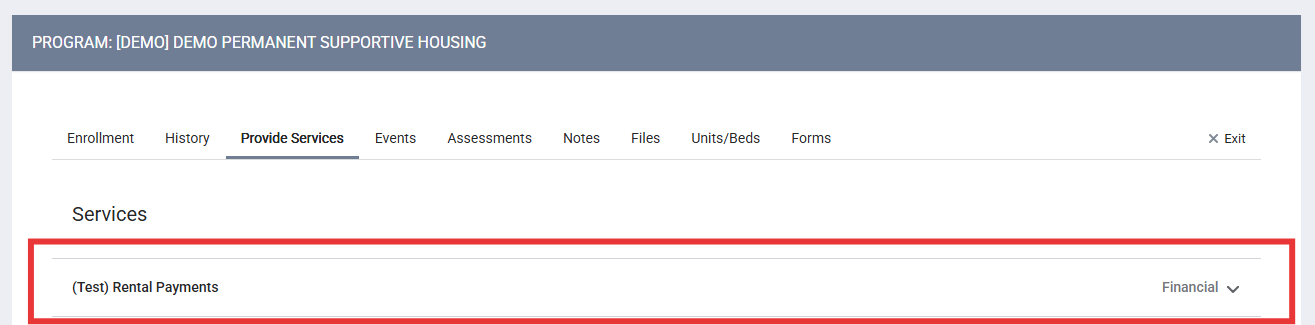
Click on the "Rental Payments" line within Services, or select the down arrow on the right. There are six options available for types of payments:
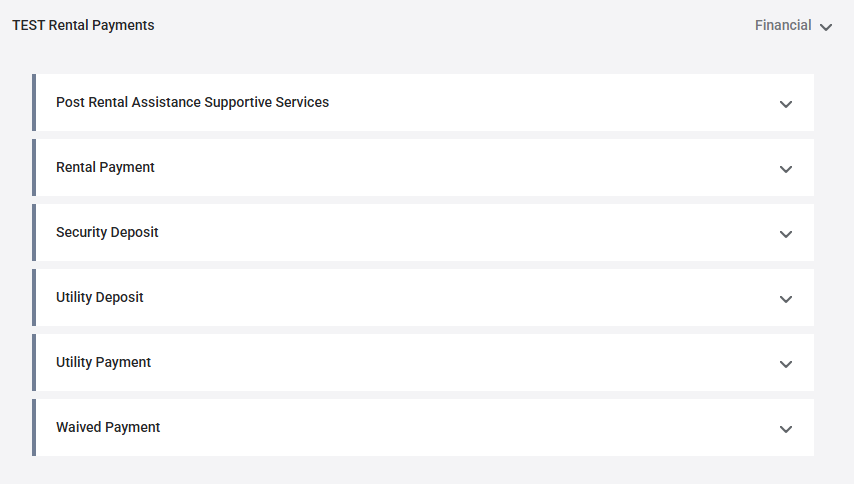
- Rental Payment
- Security Deposit
- Utility Deposit
- Utility Payment
- Waived Payment
- Post Rental Assistance Supportive Services (PRASS)
Each payment type requests the same information:
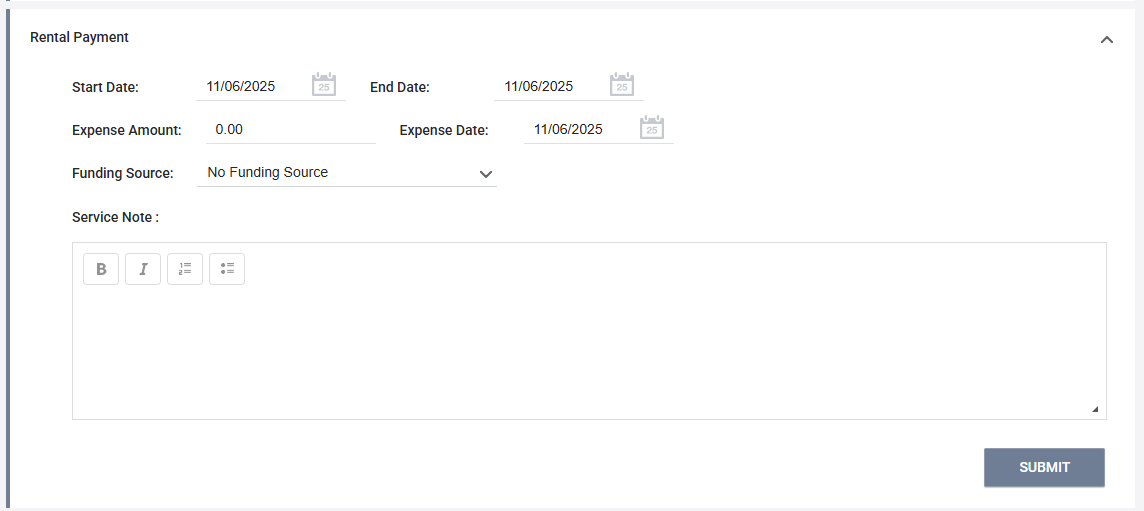
- Start Date - The start date of the month the payment applies.
- End Date - The end date of the month the payment applies.
- Expense Amount - The requested expense amount.
- Expense Date - The date the payment was issued.
- Funding Source - Do not use this data field.
- Service Note- Add detailed note pertaining to this payment. This may include:
- Vendor Name
- Account Number
After documenting the payment information, select SUBMIT.
After a service has been entered, it can be accessed through the client-level navigation HISTORY tab or the program-level navigation History tab. Find the service, and select the edit button to view the service to add any other addition information required for the payment documentation.
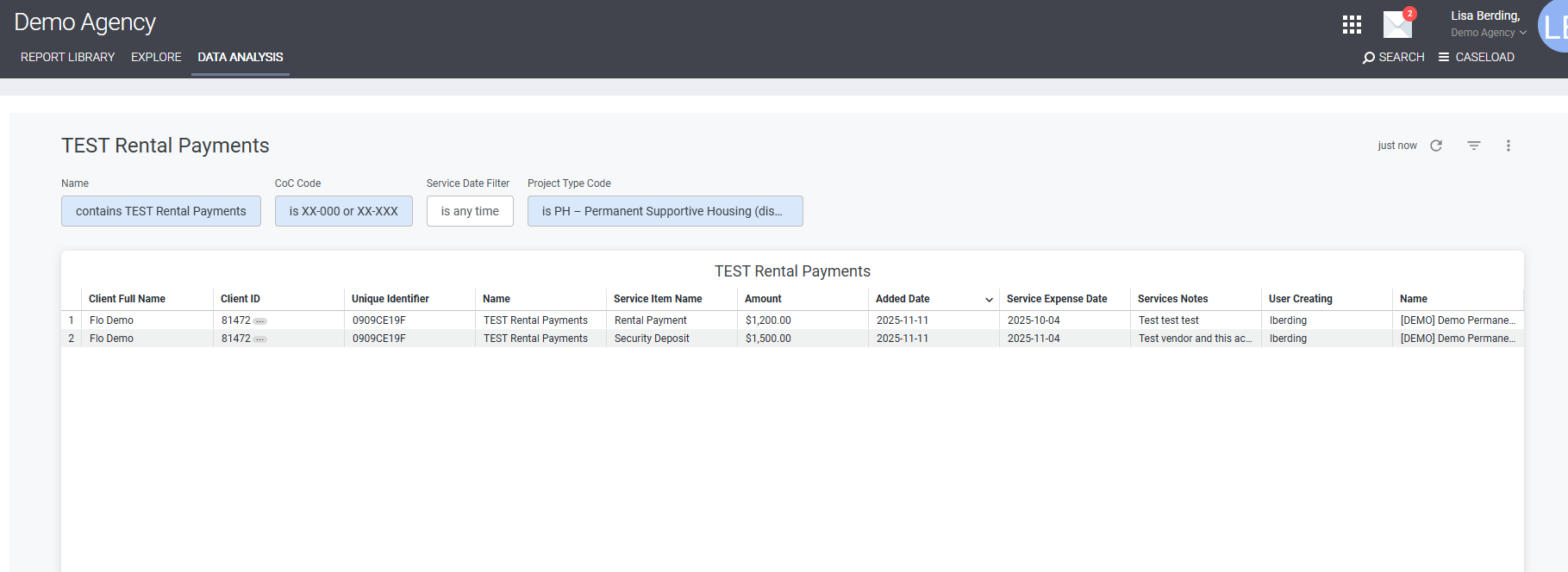
Rental Payment Dashboard
To track agency wide payments entered in the Rental Payment Service, a dashboard is accessible through Reports --> Data Analysis --> Agency Reports --> "Rental Payments"
Contact Us
If you need help, or wish to offer suggestions or feedback, please contact the Cincinnati/Hamilton County HMIS support team at HMISsupport@end-homelessness.org or by calling 513-263-2790 9:00a.m. - 3:00p.m. Monday-Friday (excluding holidays).
When contacting HMIS Support about a particular client, please do not send protected personal information (PPI) such as full name, social security number, or any other information used to determine a person's identity through email. Instead, please send the Clarity Unique Identifier found on the client's Clarity Profile page. You can use the messaging system in Clarity if you need to send personally-identifying information.