
Assigning Clients to Specific Beds and Units in Clarity HMIS
Please note: this feature is not turned on for all programs and projects in Clarity HMIS.
Search for the client.
Access the enrollment through the client-level PROGRAMS tab.
Select the edit button next to the program name to view the enrollment data.
The Units/Beds tab can be accessed in the program level navigation bar.
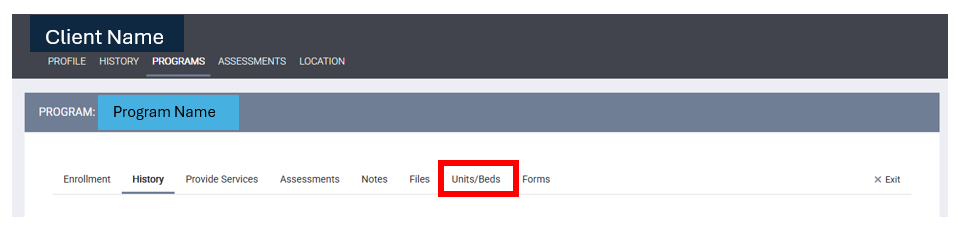
Select the “Units/Beds” tab.
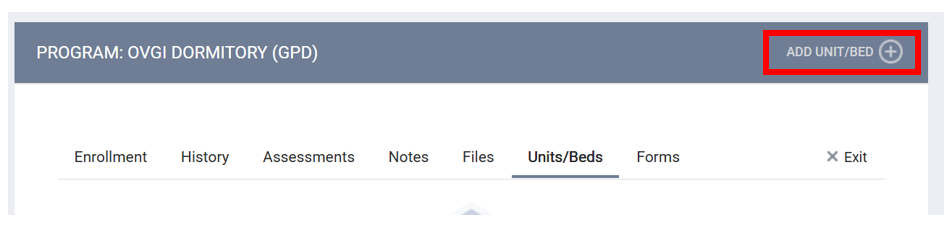
To add a new Unit/Bed, click on ADD UNIT/BED (+).
A dialog box will open:
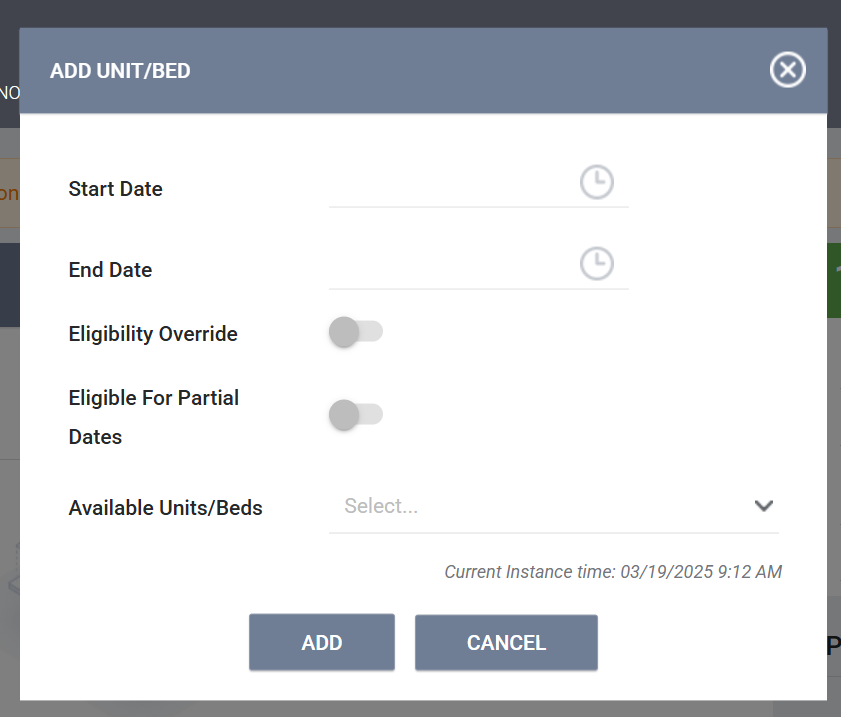
Enter the start date.
Toggle on “Eligibility Override.”
Select the unit and bed from “Available Units/Beds.” If a bed is not listed, it is because it is currently occupied.
Click ADD.
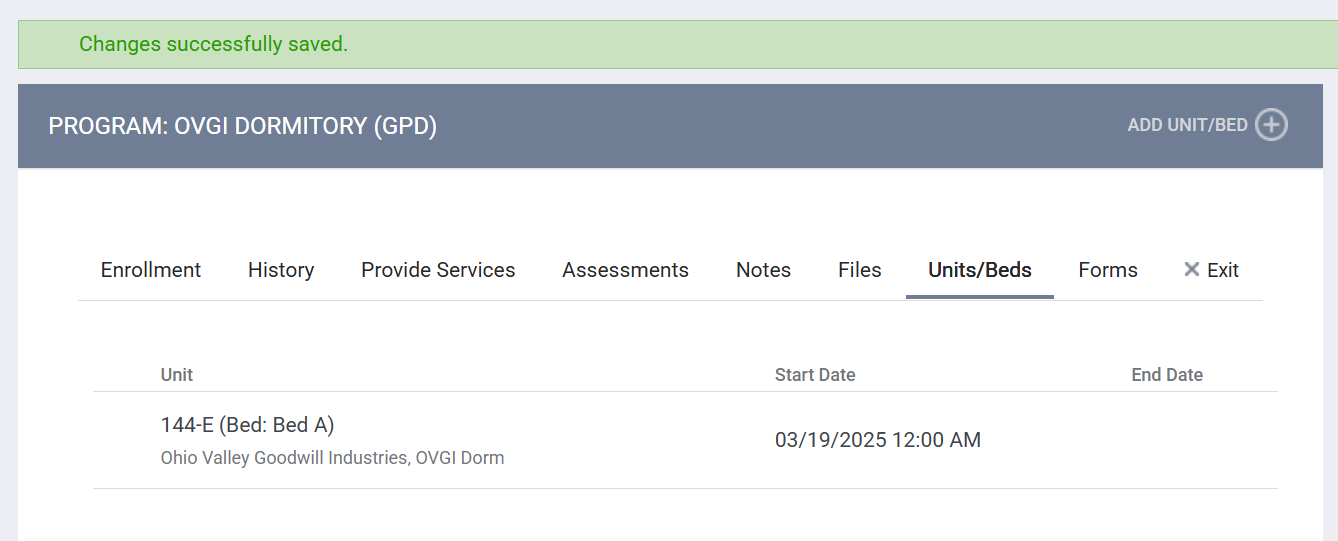
The Unit/Bed information will then be displayed in the Units/Beds tab.
To move the client to a different unit/bed, select the edit icon and enter an end date for the current unit. Then select ADD UNIT/BED (+) to update the client's unit/bed. Please note that the dates cannot overlap.
DASHBOARD
The Inventory – Unit/Bed Availability Overview dashboard was created to support the programs in our community which utilize the Inventory Module in clarity to place participants into specific beds and units for an enhanced documentation experience, a more precise analysis of specific data, and a more dynamic method to view project inventory.
For more information regarding the specific filters, please see this help article: Helpdesk : STEH (UPDATE ARTICLE)
This dashboard can be found by selecting the Launcher à Reports à Data Analysis Tab à Cincinnati Clarity System Reports à Inventory – Unit/Bed Availability Overview. Select RUN.
In order to view data, the filter “Program – Agency Name” is required.
Contact Us
If you need help, or wish to offer suggestions or feedback, please contact the Cincinnati/Hamilton County HMIS support team at HMISsupport@end-homelessness.org or by calling 513-263-2790 9:00am - 3:00pm Monday-Friday (excluding holidays).
When contacting HMIS Support about a particular client, please do not send sensitive personally identifiable information (Sensitive PII) through email, such as full name, social security number, or any other information used to determine a person's identification. Instead, please send the Clarity Unique Identifier found on the client's Clarity Profile page. You can use the messaging system in Clarity if you need to send sensitive personally identifying information.